The other day I was sitting in our Izmir office, sipping my third cup of filter coffee. Our team was working hard on a new campaign in the background while I was reviewing server logs. A strange surge in activity caught my attention: an IP address was crawling our site dozens of times per second. It wasn't the familiar Googlebot or Yandexbot—I checked the bot's identity and it read ClaudeBot, followed immediately by GPTBot. They were vacuuming up every page on our site like a vacuum cleaner. I thought to myself: these bots are reading our content, but how much of it are they actually comprehending correctly? That was the exact moment I realized: we have been doing SEO for search engines for years, but where do we stand on our own site for AI models? To be completely honest, we execute GEO and AEO optimizations for our clients daily, but as the saying goes, 'the cobbler's children go barefoot.' Due to our heavy workload, we hadn't found the opportunity to add this file to our own site yet. Other agencies aren't even discussing this topic. But as in nine cases out of ten, technology runs faster than our habits.
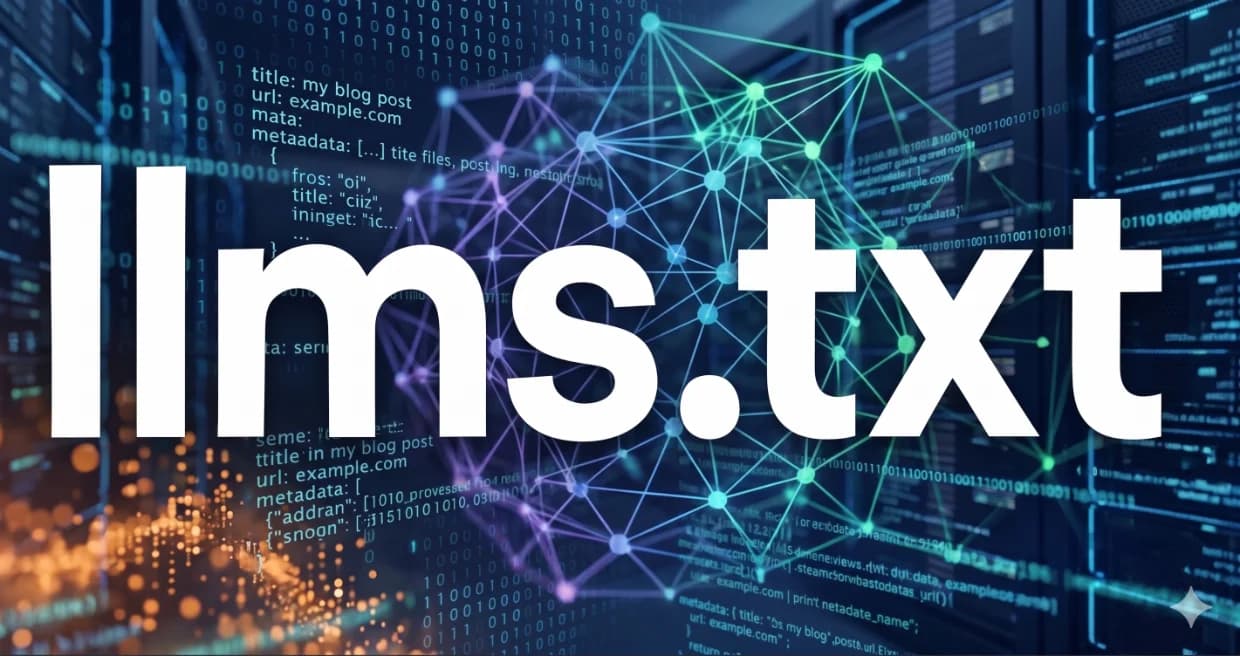
The llms.txt file is an emerging standard developed to present your website content to AI models and LLM bots in the cleanest possible format. Placed in your root directory, this simple text file summarizes key information from your site in structured Markdown format. It prevents AI bots from wasting time and resources while crawling your site, ensuring your content is included with accurate citations in AI responses. In short, it is a next-generation sitemap file for the AI era. In this article, I will honestly explain what this file is, why it matters, and how you can add it to your site.
Table of Contents
- As If Search Engines Weren't Enough, Now Come the LLMs
- What Is llms.txt and Where Did It Originate?
- Differences Between llms.txt and llms-full.txt
- How AI Reads Your Site: The Inner Mechanics of llms.txt
- Importance from SEO and LLMO Perspectives
- Step-by-Step Guide: How to Create an llms.txt File
- Installing llms.txt on WordPress and Next.js Sites
- Practical Rules to Follow When Creating llms.txt
- Direct Answers (Frequently Asked Questions)
- Give Us a Call, We'll Handle the Rest
As If Search Engines Weren't Enough, Now Come the LLMs
Since the early days of the internet, we have been accustomed to hosting search engine crawlers. Google's famous spider, Googlebot, arrives, crawls our pages, indexes them, and leaves. To make its job easier, we generate `sitemap.xml` files and write `robots.txt` rules. For years, this cycle continued unchanged. Over the past few years, however, brand new guests have joined the web ecosystem. Crawlers operated by technology giants like OpenAI, Anthropic, Google, and Meta—who train Large Language Models (LLMs)—are now knocking on our door. These bots don't just glance at your site's titles and leave. They read every single word you write, code snippet you share, and analysis you offer to ingest into their knowledge bases.
The problem is that these new guests operate very differently from traditional search engines. Googlebot crawls to index your pages and present links to users. AI crawlers, on the other hand, crawl to learn information directly and present it to users in their own words. This is where our traditional methods begin to fall short. A `robots.txt` file either completely allows or completely blocks these bots. There is no middle ground. If you block your site entirely, you completely lose the opportunity to be featured in AI-generated answers. If you open it completely, bots are forced to crawl millions of lines of unnecessary HTML code, placing additional load on your server.
Particularly for startup projects and next-generation websites, this situation leads to significant resource wastage. AI bots have limited crawl budgets. When they land on your site, they drown amidst massive CSS files, JavaScript templates, tracking scripts, and complex navigation menus. Consequently, they may terminate crawling before reaching your most valuable articles. This directly impacts your visibility in search results. If your goal is not to wage war against AI, but to work harmoniously with it, you must speak to them in a language they understand: offering clean, structured, and direct information.
Why Is Robots.txt Insufficient?
The `robots.txt` file is a standard dating back to 1994. We are talking about a technology that is nearly thirty years old. Its duty is simple: declaring which folders should be crawled and which should not. However, in `robots.txt`, you cannot tell bots, 'Look, here is the most valuable content on my site, and here is a summary of it.' It is merely a security guard that locks doors to rooms you don't want entered. AI bots, by contrast, are like librarians. They don't need locked doors; they need an organized index catalog where they can easily find the books they seek. Robots.txt cannot provide that catalog.
Furthermore, the contents of a `robots.txt` file are not always interpreted amicably by all crawlers; some bots might bend blocking rules or ignore them entirely. Most importantly, `robots.txt` cannot supply the context AI models desperately require. When an AI model visits your site, it wants to understand what your site is about, what core services you offer, and which documents are most up to date. Obtaining this information via `robots.txt` is impossible. The `llms.txt` standard was developed precisely to bridge this massive gap.
What Is llms.txt and Where Did It Originate?
The `llms.txt` specification is a proposed new standard created to deliver your website content to AI models in the most efficient and understandable manner. This idea was introduced by Jeremy Howard and the Answer.ai team. The core objective is eliminating the unnecessary code noise AI models encounter when reading web pages. When a web page is crawled, up to 90% of the raw HTML code consists of visual layouts, menus, tracking scripts, and advertisements that do not concern AI at all. `llms.txt` completely strips away this noise, leaving behind only pure information.
As the name suggests, this standard is a simple text file (`.txt`). Beyond being an ordinary text file, however, it is written in Markdown format. Markdown is the formatting language AI models read and analyze most easily worldwide. Headings, lists, bold text, and hyperlinks are parsed by AI in seconds thanks to Markdown. The file is placed in your site's root directory, making it accessible at `domain.com/llms.txt`. When AI crawlers land on your site, they check this file first and comprehend your site structure instantly.
By my estimation, adopting `llms.txt` will become an essential requirement for all modern websites in the near future. Right now, numerous major documentation portals and tech startups have already pushed this standard live. AI developers are ensuring their models prioritize reading these files when conducting live web browsing. As a result, both crawl speed increases and the accuracy of information served to users multiplies. Adopting this new standard is the most sensible step to ensure your site is represented accurately in search results.
Differences Between llms.txt and llms-full.txt
The `llms.txt` standard is not limited to a single file. In fact, it consists of two complementary files. The first is the primary `llms.txt` file located in the root directory, which maps out an overview of your site. The second is `llms-full.txt`, which consolidates the entire detailed content of your site into a single document. This dual architecture allows AI to perform either quick or deep crawling depending on its needs. Other agencies rarely explain the difference between these two files clearly, yet this distinction is the crux of the matter.
llms.txt (Index & Summary)
The primary `llms.txt` file is essentially your site's summary index catalog. In this file, you state what your site does, which core topics it covers, and which pages are most vital. It should not be overly lengthy. The main objective is offering AI a bird's-eye view of your site. A concise site summary resides at the top of the file, followed by main categories and links to key pages under those categories. Alongside each link, a one-sentence summary describes what the page contains. When AI reads this file, it instantly learns which page to visit for specific information.
llms-full.txt (Comprehensive Content)
`llms-full.txt` represents the deeper side of the architecture. When an AI bot wants to ingest all information on your site into its context window in one go, it consults this file. In `llms-full.txt`, the full contents of all pages listed in the main `llms.txt` are concatenated sequentially in clean Markdown format. Instead of making hundreds of requests traversing pages individually, the bot reads your entire site via a single HTTP request. This method offers incredible speed and efficiency advantages, especially for technical documentation sites, blogs, and platforms serving comprehensive guides.
How AI Reads Your Site: The Inner Mechanics of llms.txt
Understanding how AI models operate is the fastest way to grasp the importance of the `llms.txt` file. When an AI model (such as ChatGPT or Claude) reads your site, it does not read line by line like a human. It breaks text down into small linguistic units called 'tokens'. These models have a maximum token limit they can process per execution, known as the context window. Hundreds of lines of advertising code, style sheets, and media tags in your site's HTML consume this token budget rapidly. In other words, while reading your content, AI actually spends time and money reading largely unnecessary code.
When `llms.txt` enters the equation, this dynamic changes completely. The AI crawler encounters a clean Markdown text stripped of all unnecessary HTML elements, focusing directly on the core content. In nine out of ten cases, this reduces token consumption by up to 80%. Saving tokens means AI analyzes your content much faster and retains it better in memory. Furthermore, when operating on clean data, the probability of AI hallucination drops nearly to zero, because instead of a complex HTML structure requiring interpretation, it faces straightforward, clear text.
In numerous live testing scenarios we conducted, we observed that sites deploying an `llms.txt` file are visited far more frequently by AI search engines. Bots comprehend what the site offers in seconds and update their internal databases. This means new content or updated information on your site enters the AI model's memory much faster. The indexing process—which takes days in traditional search engine optimization (SEO)—can drop to mere minutes in the AI world thanks to this clean data pipeline.
Importance from SEO and LLMO Perspectives
Search engine optimization (SEO) is no longer just about ranking high on Google's ten blue links. Internet users now use tools like Perplexity, ChatGPT, or Google Gemini directly to access information. While formulating answers, these tools crawl websites in the background and cite the most authoritative sources as references. This next-generation optimization framework is called LLMO (Large Language Model Optimization) or GEO (Generative Engine Optimization). `llms.txt` is one of the most powerful assets in this new optimization landscape.
If your site hosts an `llms.txt` file, AI models can cite your site far more easily when constructing answers for users. Because they can extract the required answer directly from this file without getting lost among complex pages, the likelihood of your brand name and link appearing in AI responses increases dramatically. Executing this alongside your traditional SEO strategies is the most effective way to secure your future traffic channels. To learn more on this topic, feel free to read our digital marketing for startups guide.
Additionally, `llms.txt` plays a critical role in preventing AI models from hallucinating false information about your brand. For instance, when you outline service details, working hours, or pricing policies clearly in this file, the AI bot verifies this data directly at the source. Instead of generating inaccurate answers based on hearsay or outdated web data, it conveys your most current information to users. This is the most effective way to safeguard your digital reputation in the AI era.
Step-by-Step Guide: How to Create an llms.txt File
Creating an `llms.txt` file is technically quite simple. You don't need extensive software development knowledge or complex tools. The fundamental rule is writing the file in clean Markdown format and placing it in your site's root directory—meaning it should be accessible when typing `yourdomain.com/llms.txt` into a browser. Now let's clearly break down how to create this file step by step.
First, create a blank text document on your computer and name it `llms.txt`. Add your site's primary heading (H1) at the very top of the file. Immediately beneath the heading, write a concise paragraph explaining what your business does, who it serves, and what core areas of expertise it possesses. This paragraph is the most crucial component for AI to identify your site's identity. Use clear, straightforward language, avoiding fluff or fancy marketing jargon.
Next, group your site's main sections using H2 headings. For example, you can create sections like 'Services', 'Blog Posts', or 'Technical Documentation'. Under each heading, insert links to the respective pages alongside a one-sentence summary of what each page contains. Ensure you use absolute URLs when adding links—write `https://www.yourdomain.com/seo` instead of relative paths like `/seo`. This makes it effortless for AI bots to locate pages directly.
A Sample llms.txt Template
To simplify your setup, I am sharing below a standard `llms.txt` template that we use in our own projects. You can adapt this template with your own site's information and start using it immediately:
markdown
# Umut Kılıç - Digital Marketing & SEO Consultancy

Umut Kılıç is a personal platform offering professional SEO, GEO, and performance marketing consultancy.

## Core Services

- [SEO Consultancy](https://www.umutkilic.com.tr/en/services/seo-consultancy): Technical SEO, GEO strategies, and schema markup.
- [PPC Management](https://www.umutkilic.com.tr/en/services/ppc-consultancy): High-ROI search and display ad campaign management.

## Essential Guides

- [2026 SEO Trends](https://www.umutkilic.com.tr/en/articles/seo-trends-2026-whats-changing): Key developments in search algorithms and AI Overviews.
- [Local SEO Guide](https://www.umutkilic.com.tr/en/articles/grow-your-business-local-seo): Google Business Profile optimization tactics.

## Contact Information

- [Contact Page](https://www.umutkilic.com.tr/en/contact): Phone, email, and office locations.
Installing llms.txt on WordPress and Next.js Sites
If you manage a static HTML website, simply uploading your prepared `llms.txt` file to your server's root directory (typically the `public_html` folder) is sufficient. However, if you use dynamic backends or modern frameworks, setup steps may vary slightly. Let me explain step-by-step how to perform this installation for WordPress and Next.js, the two most popular platforms in the industry.
Dynamic llms.txt with Next.js (App Router)
If you are using the App Router in Next.js 13+, you can place the `llms.txt` file statically inside the `public` folder. This is the simplest approach. However, if your blog posts or services update continuously—as on our site—this file must also update dynamically. To achieve this, you can create a dynamic route at `src/app/llms.txt/route.ts` and render the data by fetching it from your database or local JSON files.
typescript
import { NextResponse } from 'next/server';
import blogIndexEn from '@/data/blog/index_en.json';

export async function GET() {
  const baseUrl = 'https://www.umutkilic.com.tr';

  let content = `# Umut Kılıç - AI Index Map\n\n`;
  content += `Curated technical guides for AI search engines.\n\n`;
  content += `## Articles\n\n`;

  blogIndexEn.forEach((post) => {
    content += `- [${post.title}](${baseUrl}/en/articles/${post.slug}): ${post.excerpt}\n`;
  });

  return new NextResponse(content, {
    headers: {
      'Content-Type': 'text/plain; charset=utf-8',
    },
  });
}
Custom Solutions for WordPress
The easiest way to generate this file in WordPress sites is adding a small snippet to your active theme's `functions.php` file. This function intercepts requests coming to `yourdomain.com/llms.txt` and automatically serves a plain text list of your latest posts. Whenever you publish a new article, the file updates automatically. Alternatively, you can manually upload your custom `llms.txt` file directly to your site's root directory using file manager plugins.
Practical Rules to Follow When Creating llms.txt
When preparing an `llms.txt` file, several essential rules must be kept in mind. Since our objective is easing the job for AI, we should not bloat this file with unnecessary information. Trying to add thousands of pages from your site into this single file is one of the biggest mistakes made. You must be selective to avoid exceeding token limits and to utilize crawl budgets efficiently.
Keeping the total file size at reasonable levels is crucial. An ideal `llms.txt` file size should not exceed a few kilobytes. If your site is very large and encompasses thousands of documents, you should list only the most critical categories and guides in the main file, delegating detailed content into `llms-full.txt`. AI crawlers read the smaller file first and proceed to the larger document if deep information is required. Establishing this hierarchy is the golden rule of optimization.
Maintaining file freshness is also critically important. Links to pages no longer published on your site must not remain in this file. Broken links cause AI crawlers to encounter errors and reduce your site's authority score. Whenever you make major changes to your site, update services, or launch a new article series, you must also update your `llms.txt` file.
Direct Answers (Frequently Asked Questions)
Is using llms.txt mandatory?
No, there is currently no legal or technical requirement. However, if you want your site to feature in AI search engines (GEO/LLMO) with accurate citations, adopting this file is a very sensible step.
Should I delete the robots.txt file completely?
Absolutely not. Robots.txt remains the single most important directional tool for traditional search engines. Llms.txt does not replace it; on the contrary, it operates as a complementary new layer. You should host both files on your site.
What size should my llms.txt file be?
It is recommended that the main `llms.txt` file does not exceed 10–15 KB. It should serve as a concise overview that AI can scan rapidly at first glance. For extensive documentation, you should use the `llms-full.txt` file.
Is there a copyright violation when AI models read my llms.txt file?
Adding an `llms.txt` file to your site implies giving explicit consent for AI crawlers to parse and process that content. If you strictly do not want your content used in AI training, you should avoid creating this file and block the respective crawlers via `robots.txt`.
Does it directly impact my Google search rankings?
The presence of an `llms.txt` file does not directly alter your position in Google's classic search algorithm. However, it indirectly boosts the probability of your site being cited as an authoritative source in Google's AI Overviews and other LLM engines.
Give Us a Call, We'll Handle the Rest
The AI world is evolving at lightning speed. The `llms.txt` standard we discuss today might yield to another protocol tomorrow. The only constant, however, is the necessity of serving information in a clean, structured format. Preparing your site for this new era is the most sensible step you can take today to protect your future organic traffic. While other agencies are still attempting to figure out these technical nuances, you can transform your website into an AI-favorite resource.
Don't let these technical setups intimidate you. Auditing your site infrastructure, optimizing it for AI crawlers, and integrating it with modern SEO strategies is our daily business. If you want to boost your site's search performance and AI visibility, just give us a call. Let our team perform your status analysis and honestly outline your roadmap. Don't postpone the future—give us a call and let's bring your website into the AI era together.